Vecto traces PNG and JPG images — logos, icons, illustrations, scans — into editable SVG with exact circles, true straight lines, and zero gaps between shapes. Open source, and it runs on your machine.
Try it free for 15 days, then buy it once.
Windows 10 and 11 · v0.4.4 · AGPL-3.0 · Nothing uploaded, no account
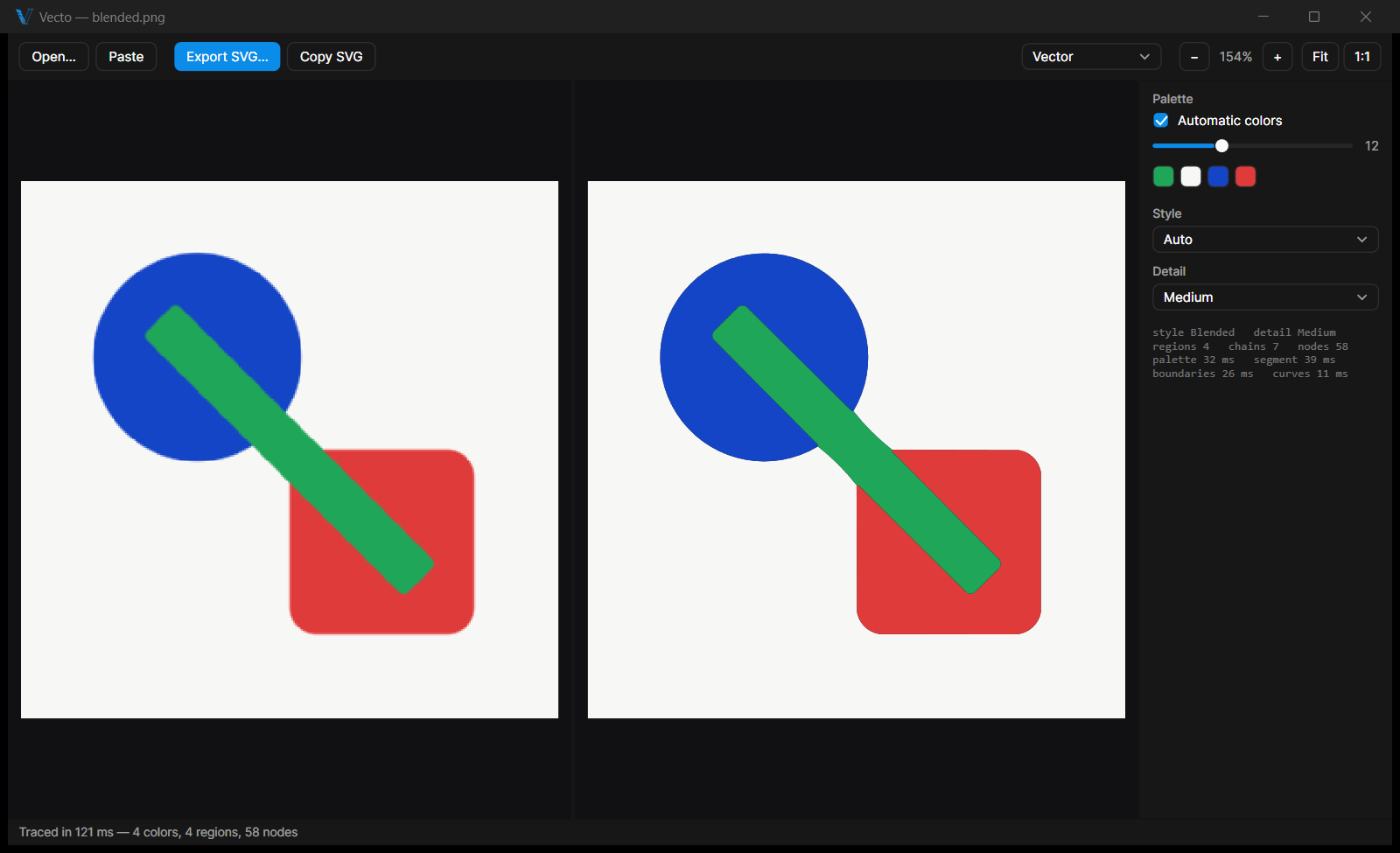
The original and the vector, side by side — synced zoom, live re-trace on every setting change.
Most converters leave hairline gaps, wobbly curves and lumpy circles. Vecto's engine was built around not doing that.
Vecto treats your image as one connected mosaic: every boundary between two shapes is fitted once and shared by both sides. The hairline cracks other converters leave between colors are structurally impossible — print it, cut it, scale it to a billboard.
Straight edges come out as truly straight lines. Circles, dots and rounded caps come out as mathematically exact arcs — not wobbly 40-point approximations. Logos and icons keep the geometry they were designed with.
Anti-aliasing encodes where the real edge sits between pixels. Vecto reads it and places every boundary at sub-pixel precision instead of snapping to the pixel grid.
Everything runs on your computer — nothing is uploaded, no account exists, and it works offline. Client logos and unreleased artwork never leave your machine.
A logo traces in a blink; even a 4K photo takes seconds. Every setting change re-traces live in a side-by-side view, so you adjust by looking, not by trial-and-export.
AGPL-3.0 and fully open source, with no watermark and no “pro” tier holding the good output back. Try it free for 15 days, then buy it once.
No tracing dialogs with thirty sliders.
Drop in any image. Open, drag & drop, or paste with Ctrl+V — PNG, JPG, BMP or GIF. Transparency is preserved.
Watch it trace, live. The vector appears next to the original with synced zoom. Adjust colors, style or detail and it re-traces instantly.
Take your SVG. Export a file or copy to the clipboard, then paste into Figma, Illustrator, Inkscape or your cutting software.
The same engine ships as the vecto command-line tool — batch jobs, build pipelines, Linux and macOS.
Deterministic by design — the same input always produces the byte-identical SVG.
An honest comparison with the tools people actually use for vectorization.
| Vecto | potrace / Inkscape | Illustrator Image Trace | Vector Magic | |
|---|---|---|---|---|
| Price | One-time purchase | Free | Subscription | Paid |
| Full color | Yes | Layer stacking | Yes | Yes |
| Gap & overlap-free output | Yes, by construction | No | Partly | Yes |
| Exact lines & circles | Yes | lines only | No | No |
| Open source | Yes | Yes | No | No |
| Headless CLI + benchmark | Yes | CLI only | No | No |
Windows 10 or 11, 64-bit. The Microsoft Store installs Vecto and keeps it up to date.
Open Vecto on the Microsoft Store and install it.
Drop in an image and trace it. Every feature works during the trial.
Keep Vecto after the trial with a one-time purchase in the Store.
On Linux or macOS? The vecto command-line tool is on GitHub.
Vecto is a one-time purchase on the Microsoft Store, with a 15-day free trial first. No subscription and no ads.
Yes. Vecto comes from the Microsoft Store, which checks every app before it is listed. Vecto has no network code and uploads nothing.
Never. Vecto is a desktop app — tracing runs entirely on your computer and works with the network cable unplugged.
Potrace-style tracers vectorize each color as a separate stacked layer, which leaves hairline gaps and overlaps where colors meet. Vecto traces the image as one connected mosaic — every boundary is computed once and shared by both neighboring shapes, so gaps can't exist. It also recognizes straight lines and circles and emits them as exact geometry.
Vecto is built for flat-color graphics: logos, icons, badges, stickers, flags, flat illustrations and clean line drawings or scans. It is not the right tool for smooth gradients and soft shadows (they are traced as bands of color), small text (letters can lose their shape, so retype text in your vector editor), small or low-resolution images (fine detail is lost) or photos and painterly art (they come out posterized, not photo-real). One tip for everything: feed the largest, sharpest image you have — quality scales with input size.
The full tracing engine ships as the vecto command-line tool for Linux and macOS: trace, batch and benchmark from any terminal. Get it from GitHub. The Windows app comes from the Microsoft Store; a cross-platform app is on the roadmap.
Open or paste it in Figma, Adobe Illustrator, Inkscape or Affinity and edit every shape. Send it to a laser cutter or cutting plotter. Put it on a website. Print it at any size — business card to billboard — with no loss of sharpness.
Uninstall it from Windows Settings; that also removes its settings.